Tiny Engineer
A small desktop robot that physically reacts when an AI coding assistant reads files, writes code or runs tests, turning agent activity into body language.
- Hardware:
- small robot body, servos, display
- Difficulty:
- Intermediate
- Creator:
- jamro
A desk robot that acts out what your AI coding agent is doing.
By jamro
What it does
A small desktop robot that physically reacts when an AI coding assistant reads files, writes code or runs tests, turning agent activity into body language.
What you need
- Difficulty
- Intermediate
- License
- No license stated
Parts
- small robot body, servos, display
- AI model or service
- AI coding agent hooks
Full instructions: View original
How it works
Coding-agent hooks drive the robot's motion and display.
Like this build? Get the weekly builds
Every Thursday: the 5 best gadget hacks you can copy. Free.
Built something? Submit a build
Why it's interesting
Tiny Engineer gives a coding agent a small physical body: the robot looks around when the agent reads files, types when it writes code, looks up while it thinks or waits, and rings a bell when the task is finished. The README lists the parts as an open-source main control board plus an ESP32, five SG90 servos, an OLED and a speaker, with a 3D-printed body, M2 screws and a 5 V supply of at least 2 A. It rates the build Medium: a fair first hardware project for a software engineer, not a one-LED kit. Claude Code, Cursor and Antigravity connect with one npx setup command, and Codex, Windsurf or any script can drive it through an HTTP API, including speech. The control board can be ordered from any fab.
Hardware
- small robot body
- servos
- display
This page is a short summary written by HardwareLab. Build steps, code and photos belong to the creator; follow “View original” for the full project.
Featured? Add this badge
Built this? Paste the badge into your README. It links back to this page.

Markdown
[](https://hardwarelab.dev/projects/tiny-engineer/?utm_source=badge&utm_medium=referral&utm_campaign=launch_2w)HTML
<a href="https://hardwarelab.dev/projects/tiny-engineer/?utm_source=badge&utm_medium=referral&utm_campaign=launch_2w"><img src="https://hardwarelab.dev/badge.svg" alt="Featured on HardwareLab" width="188" height="20"></a>Related builds
All 21 in Agent Desk Gadgets
AI Fuel Gauge for Claude and Codex
A Waveshare ESP32 screen beside the keyboard that shows how much Claude and Codex allowance is left, so checking limits is just a glance.
- Waveshare ESP32 long-format display (exact model not named by the builder)
- Mac running a small usage service
Intermediate
Dot Gadget
A desk gadget your ChatGPT dot can set to ALERT.
- LilyGo T-Display S3
- USB-C data cable
Intermediate · Our suggestion
iCTRL
An open-source XCUITest service that lets Codex, Claude Code and other agents operate an iPhone or iPad wirelessly.
- iPhone or iPad running iOS 16+
- A signing route and mounted Developer Disk Image
- Same-network computer or an on-device agent
Intermediate593
ESP32 Agent Companion
An animated desk character that shows what your AI agent is doing.
- Waveshare ESP32-S3-Touch-AMOLED-1.75
Beginner72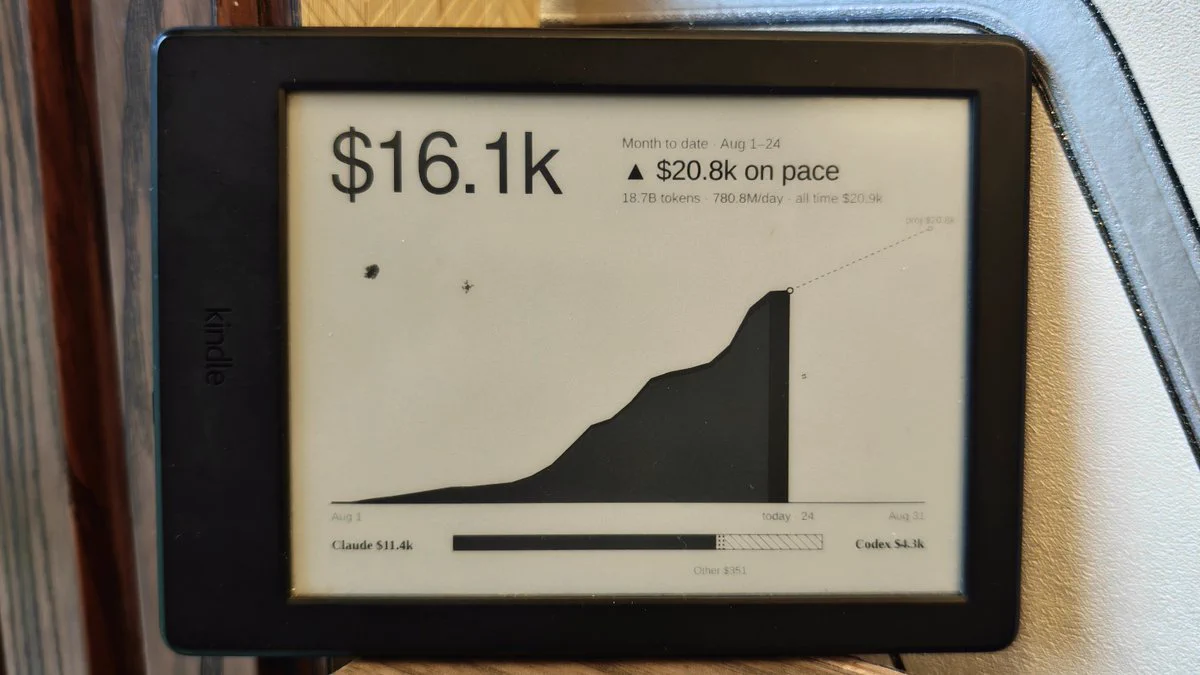
Kindle AI Usage Display
An old Kindle shows your AI usage.
- Jailbroken Kindle (the original build is a KT3; check your model with the KindleModding wizard)
- Computer running the Node.js server, awake at refresh times
Intermediate · Our suggestion14Pi Zero AI usage desk gadget
Seven screens of AI quota on a 1.3in display.
- Raspberry Pi Zero 2 W
- 1.3in screen
- joystick
Beginner
