ADeus
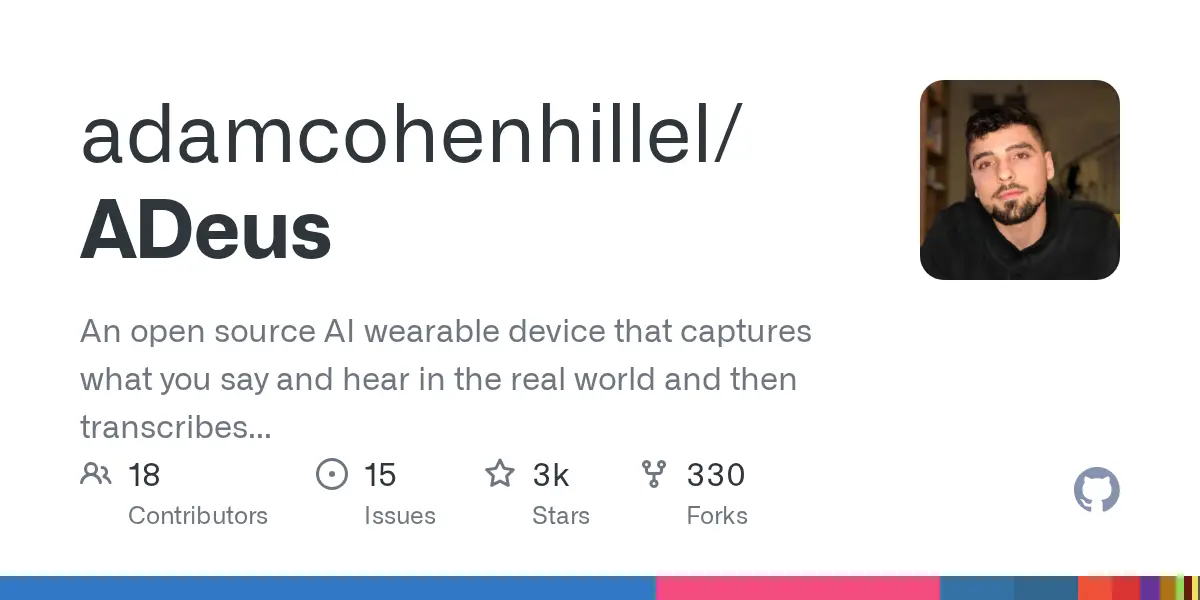
Adeus is a wearable device that captures what you say and hear in the real world, then transcribes and stores it on your own server.
- Hardware:
- wearable mic device
- Difficulty:
- Intermediate · Our suggestion
- License:
- CC-BY-NC-ND-4.0
- Creator:
- adamcohenhillel
Open-source AI wearable that captures what you say and hear
- Posted
What it does
Adeus is a wearable device that captures what you say and hear in the real world, then transcribes and stores it on your own server. You chat with Adeus in the app, and it has the context. Active development of the open-source AI wearable continued in the Friend repo.
- A wearable device that captures what you say and hear in the real world, then transcribes and stores it on your own server.
- Three parts: a mobile / web app to chat with your Personal AI, the wearable that records and sends to the backend, and Supabase, where data is processed and stored and LLMs are called.
What you need
- Difficulty
- Intermediate · Our suggestion
- License
- CC-BY-NC-ND-4.0 (source)
Parts
- Wearable hardware: a CoralAI device, a Raspberry Pi Zero 2W or an ESP32
- AI model or service
- OpenAI or OpenRouter models, called from Supabase functions (source)
Prices, notes and sources: Parts and requirements
Parts and requirements
| Part | Spec / notes | Needed | Price |
|---|---|---|---|
| Wearable hardware: a CoralAI device, a Raspberry Pi Zero 2W or an ESP32 | Each has its own setup guide | Required |
Steps
- Difficulty
- Intermediate · Our suggestion
- Create a Supabase project and a user
- Link the Supabase CLI, push the database schema and deploy the functions
- Set an OpenAI or OpenRouter API key as a Supabase secret
- Open the web app and log in with your Supabase URL, anon key, email and password
- Set up a hardware device
Full instructions: View original
How it works
Three parts: the wearable records what you say or hear and sends it to the backend; Supabase is the backend and database, where the data is processed and stored and LLMs are called; a mobile / web app is where you chat.
| Layer | Component | Runs on |
|---|---|---|
| Backend | Supabase: Postgres database with vector search (pgvector), authentication and cloud functions | Your Supabase project (or your own self-managed Supabase instance) |
| App | Web & mobile app (a frontend client) | adeusai.com, Vercel, or locally |
| Device | Wearable recorder | CoralAI device, Raspberry Pi Zero 2W or ESP32 |
| Models | OpenAI or OpenRouter (API keys as Supabase secrets) | Supabase functions |
Setup effort
Create a Supabase project, push the schema and deploy the functions with the Supabase CLI, set your model API key, then run the app and set up a hardware device.
Limits and caveats
- Active development of the open-source AI wearable continued in the Friend repo and Discord community.
- The functions are deployed with --no-verify-jwt; the guide links an issue about the security of that.
Like this build? Get the weekly builds
Every Thursday: the 5 best gadget hacks you can copy. Free.
Built something? Submit a build
Use-case ideas
- Chat with a personal AI that has the right context about what you want or need to talk about.
Why it's interesting
Adeus is an early open-source AI wearable with a three-part design described in its README: a mobile / web app where you chat with your Personal AI, a hardware device that records what you say or hear and sends it to the backend, and Supabase, the backend and database that processes and stores the data and interacts with LLMs. The README’s point is ownership: transcripts are stored on your own server, so you can own your own data, and the assistant has the right context when you chat. The README calls it a truly personalized, personal AI, and argues that as Personal AI becomes part of daily life and knows as much about us as our closest friends, it should be completely open-source. Before building, note that active development continued in the Friend repo and Discord community. Omi, also on HardwareLab, is a related wearable.
Hardware
- wearable mic device
Credits and links
- adamcohenhillel: Creator
- License: CC-BY-NC-ND-4.0 (source)
This page is a short summary written by HardwareLab. Build steps, code and photos belong to the creator; follow “View original” for the full project.
Featured? Add this badge
Built this? Paste the badge into your README. It links back to this page.

Markdown
[](https://hardwarelab.dev/projects/adeus/?utm_source=badge&utm_medium=referral&utm_campaign=launch_2w)HTML
<a href="https://hardwarelab.dev/projects/adeus/?utm_source=badge&utm_medium=referral&utm_campaign=launch_2w"><img src="https://hardwarelab.dev/badge.svg" alt="Featured on HardwareLab" width="188" height="20"></a>Related builds
All 6 in Wearables
Tsixom Watch Buddy
A standalone AI watch on a Waveshare AMOLED ESP32.
- Waveshare ESP32-S3 2.06in touch AMOLED
Intermediate64
Remember
Record what you see and hear with a Monocle, then search it.
- Brilliant Labs Monocle
Intermediate12
Sources
- github.com/adamcohenhillel/ADeus/blob/4cac1b20f0fddeb92e5eb81d8e57652578f7fad0/README.md?plain=1#L19
- github.com/adamcohenhillel/ADeus/blob/4cac1b20f0fddeb92e5eb81d8e57652578f7fad0/README.md?plain=1#L37-L44
- github.com/adamcohenhillel/ADeus/blob/4cac1b20f0fddeb92e5eb81d8e57652578f7fad0/docs/getting_started.md?plain=1#L105-L109
- github.com/adamcohenhillel/ADeus/blob/4cac1b20f0fddeb92e5eb81d8e57652578f7fad0/docs/getting_started.md?plain=1#L28-L32
- github.com/adamcohenhillel/ADeus/blob/4cac1b20f0fddeb92e5eb81d8e57652578f7fad0/docs/getting_started.md?plain=1#L76-L78
- github.com/adamcohenhillel/ADeus/blob/4cac1b20f0fddeb92e5eb81d8e57652578f7fad0/docs/getting_started.md?plain=1#L60-L61
- github.com/adamcohenhillel/ADeus/blob/4cac1b20f0fddeb92e5eb81d8e57652578f7fad0/docs/getting_started.md?plain=1#L34-L109
- github.com/adamcohenhillel/ADeus/blob/4cac1b20f0fddeb92e5eb81d8e57652578f7fad0/README.md?plain=1#L3
- github.com/adamcohenhillel/ADeus/blob/4cac1b20f0fddeb92e5eb81d8e57652578f7fad0/docs/getting_started.md?plain=1#L59