StrapLink
Our open-source iPhone app for the Garmin HRM 600 chest strap
Build sheet
- Parts
- Garmin HRM 600, iPhone (iOS 26+)
- AI model or service
- HRV (RMSSD) and “Strap not on skin” detection (source)
- Runs offline?
- Yes, per the source
- Difficulty
- Intermediate · Our suggestion
Parts list
Prices and notes: Parts and requirements
Steps
- Difficulty
- Intermediate
- cd Packages/HeartKit && swift test (macOS, about a second)
- Set your own Apple Developer team in Local.xcconfig
- Open StrapLink.xcodeproj in Xcode and run on your iPhone
- In StrapLink, go to Strap › Find My Strap, wear the strap and accept the iOS pairing prompt [17]
Full instructions: View original
Like this build? Get the weekly builds
Get the best new AI hardware builds every Thursday. One email a week, free.
Built something? Submit a build
Overview
StrapLink is HardwareLab’s own original build: an open-source iPhone app that talks directly to the Garmin HRM 600 chest strap. It records live heart rate, every beat-to-beat (RR) interval and running dynamics on the phone, with no Garmin account, no Garmin Connect, no watch and no cloud. We reverse-engineered how the strap talks and built the app we wanted.
What it does
- Live heart rate and every RR interval, exactly as received (raw 1/1024 s values). [1]
- One-tap recording: Start, Pause, Stop & Save. Recording only happens on the phone; the app never starts, stops or changes the strap’s own onboard recording. [2]
- Running dynamics from the strap: cadence, ground contact time, vertical oscillation, speed, distance and step count. [3]
- “Strap not on skin” detection: the HRM 600 keeps reporting a believable bpm when it’s off your body; StrapLink detects that from beat quality and shows -- instead. [4]
- HRV (RMSSD) with strict, documented rules; it says “Insufficient data” instead of guessing. [5]
- Export to CSV + JSON metadata, and read-only FIT file download from the strap, verified with SHA-256 and a FIT integrity check. [6]
- Private by design: no account, no analytics, no network. Data stays on the iPhone under iOS Data Protection. [7]
Photos
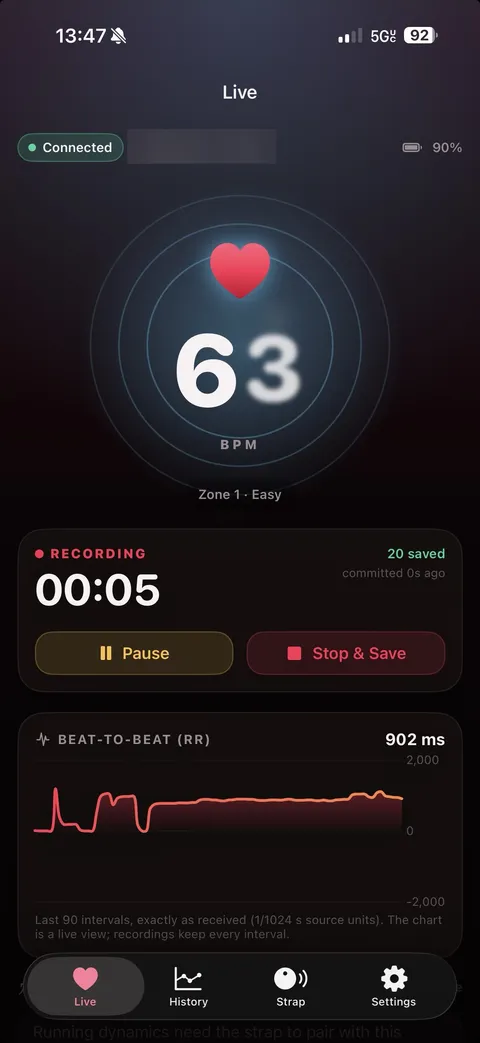
StrapLink live screen: 63 bpm, recording, beat-to-beat chart · source 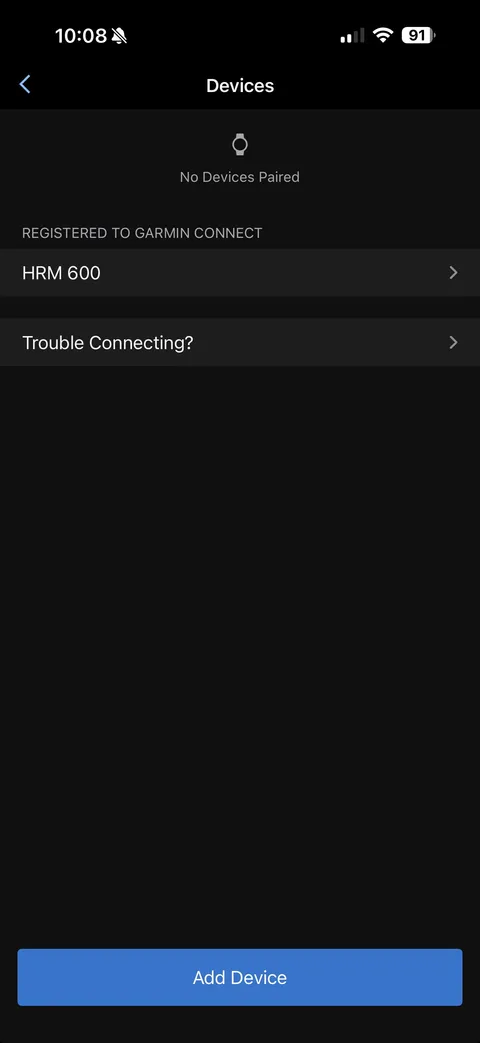
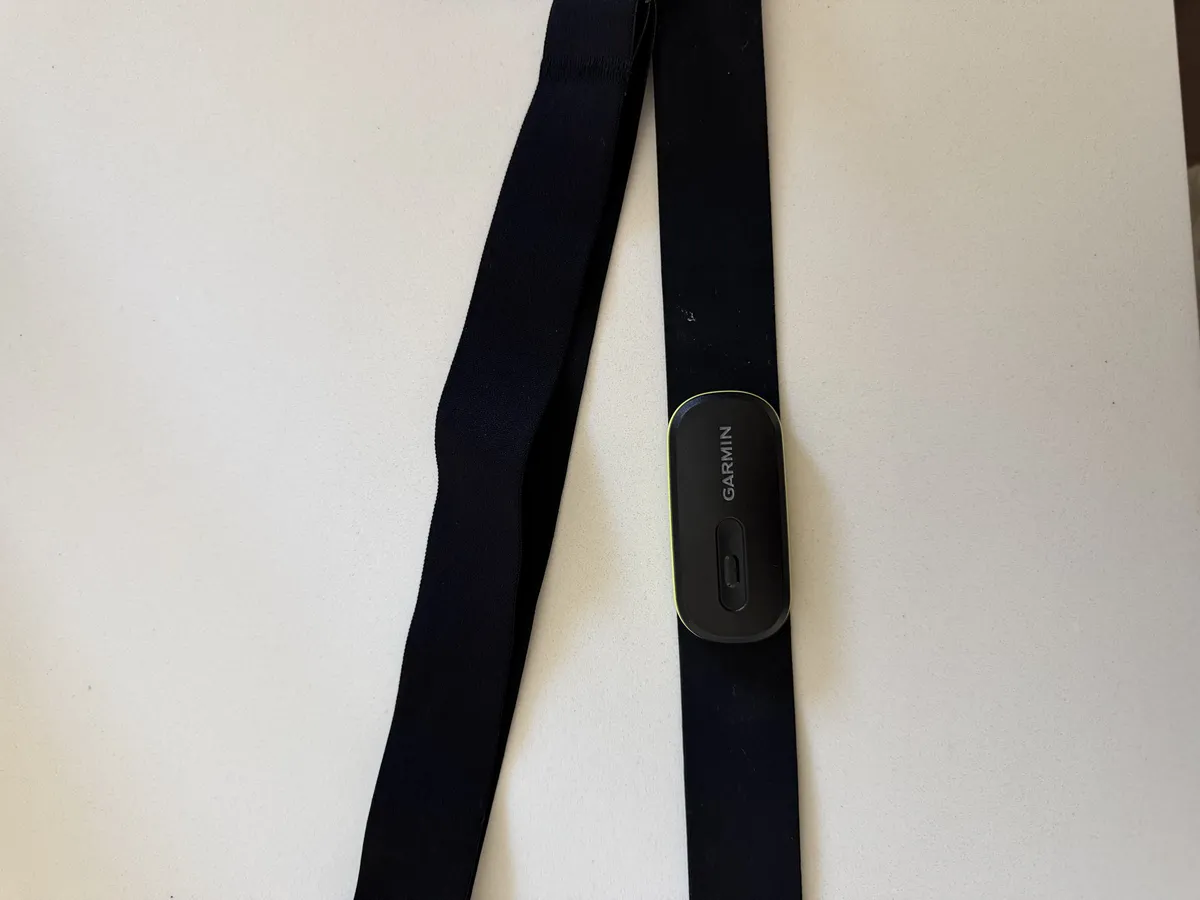
Garmin app showing No Devices Paired · source Garmin HRM 600 chest strap · source
Photos from the StrapLink repository (docs/images), MIT License.
Use-case ideas
Parts and requirements
| Part | Spec / notes | Needed | Price |
|---|---|---|---|
| Garmin HRM 600 [10] | Required | ||
| iPhone on iOS 26+ [10] | Required | ||
| Xcode 26.3+ [11] | The HeartKit tests run on macOS; set your own Apple Developer team | Required |
- Xcode 26.3+, an iPhone on iOS 26+ and a Garmin HRM 600
- Your own Apple Developer team (Local.xcconfig); change the bundle identifier if you sign with your own team
- Developer Mode on the iPhone
- Requirements source: [12]
How it works
StrapLink uses two Bluetooth paths at once: heart rate and RR intervals come over the standard Bluetooth Heart Rate Service, and Garmin’s proprietary Multi-Link service carries GFDI messages for running dynamics and for listing and pulling FIT files. A strict safety guard sits in front of everything sent to the strap.
| Layer | Component | Runs on |
|---|---|---|
| App | Open-source iPhone app that talks directly to the Garmin HRM 600 chest strap [13] | iPhone |
| Protocol | HeartProtocol: CRC, COBS, GFDI, Multi-Link, decoders, safety guard, engine, FileAccess, BeatTracker [14] | HeartKit Swift package (no iOS dependency for tests) |
| Storage | HeartStore: SQLite store, HRV, signal quality, CSV/JSON export [15] | HeartKit Swift package (no iOS dependency for tests) |
| Heart rate | Standard Bluetooth Heart Rate Service (0x180D / 0x2A37) [16] | Chest strap (the same public profile any chest strap uses) |
Setup effort
Run the HeartKit tests, set your own Apple Developer team, open the project in Xcode and run it on your iPhone, then pair the strap from the app. [17]
Limits and caveats
- The iOS app build is not CI-verified yet. The HeartKit package tests (swift test) pass; the Xcode app target has not been built in CI. [18]
- Raw accelerometer (X/Y/Z) data is not available and not part of the app. [19]
- Above roughly 110 bpm the strap can drop beats between notifications, so RR coverage during hard efforts is below 100 %. StrapLink records what arrives and never fills in data. [20]
- Only tested on firmware 5.20. Other firmware versions may behave differently. [21]
- Not affiliated with, endorsed by or supported by Garmin, and not a medical device: its numbers, including HRV, are descriptive only and must not be used for diagnosis or treatment. [22]
Why it's interesting
The HRM 600 is great hardware, but using it with just a phone was painful: the official app kept dropping the strap (“No Devices Paired”), and a basic heart-rate session took several taps every time. So we reverse-engineered how the strap talks and built the app we wanted: put the strap on, open the app, see the heart rate, hit record. Heart rate and RR intervals come from the standard Bluetooth Heart Rate Service, which keeps going even if the proprietary path is refused. Over Garmin’s Multi-Link GATT service the app speaks GFDI, COBS-framed, CRC-16 checked messages carrying protobuf payloads, to subscribe to running-dynamics alerts and to list and pull FIT files. A strict safety guard only allows a closed list of reviewed operations and rejects activity start/stop, settings writes, resets, deletes and firmware operations. The app also has “Strap not on skin” detection, which spots from beat quality when the strap keeps reporting a believable bpm off your body, plus HRV (RMSSD) with strict, documented rules, and data stays on the iPhone.
Hardware
- Garmin HRM 600
- iPhone (iOS 26+)
Credits and links
- HardwareLab (ms5573): Original build
- OpenRD by Sam Dumont: Protocol transport adapted from OpenRD (MIT), upstream commit 73887eb5c9065f6f8da79065b094bedc808b60fe
- Gadgetbridge: Credited by OpenRD for the transport groundwork
Sources
- github.com/ms5573/StrapLink/blob/b5559f5863d6e84d686aa9b264fd502dc4713db0/README.md?plain=1#L23
- github.com/ms5573/StrapLink/blob/b5559f5863d6e84d686aa9b264fd502dc4713db0/README.md?plain=1#L24
- github.com/ms5573/StrapLink/blob/b5559f5863d6e84d686aa9b264fd502dc4713db0/README.md?plain=1#L25
- github.com/ms5573/StrapLink/blob/b5559f5863d6e84d686aa9b264fd502dc4713db0/README.md?plain=1#L26
- github.com/ms5573/StrapLink/blob/b5559f5863d6e84d686aa9b264fd502dc4713db0/README.md?plain=1#L27
- github.com/ms5573/StrapLink/blob/b5559f5863d6e84d686aa9b264fd502dc4713db0/README.md?plain=1#L29-L30
- github.com/ms5573/StrapLink/blob/b5559f5863d6e84d686aa9b264fd502dc4713db0/README.md?plain=1#L32
- github.com/ms5573/StrapLink/blob/b5559f5863d6e84d686aa9b264fd502dc4713db0/README.md?plain=1#L11
- github.com/ms5573/StrapLink/blob/b5559f5863d6e84d686aa9b264fd502dc4713db0/docs/SAFETY.md?plain=1#L36-L38
- github.com/ms5573/StrapLink/blob/b5559f5863d6e84d686aa9b264fd502dc4713db0/README.md?plain=1#L69
- github.com/ms5573/StrapLink/blob/b5559f5863d6e84d686aa9b264fd502dc4713db0/README.md?plain=1#L69-L76
- github.com/ms5573/StrapLink/blob/b5559f5863d6e84d686aa9b264fd502dc4713db0/README.md?plain=1#L69-L82
- github.com/ms5573/StrapLink/blob/b5559f5863d6e84d686aa9b264fd502dc4713db0/README.md?plain=1#L3
- github.com/ms5573/StrapLink/blob/b5559f5863d6e84d686aa9b264fd502dc4713db0/README.md?plain=1#L59-L60
- github.com/ms5573/StrapLink/blob/b5559f5863d6e84d686aa9b264fd502dc4713db0/README.md?plain=1#L59-L61
- github.com/ms5573/StrapLink/blob/b5559f5863d6e84d686aa9b264fd502dc4713db0/README.md?plain=1#L39
- github.com/ms5573/StrapLink/blob/b5559f5863d6e84d686aa9b264fd502dc4713db0/README.md?plain=1#L67-L82
- github.com/ms5573/StrapLink/blob/b5559f5863d6e84d686aa9b264fd502dc4713db0/README.md?plain=1#L86
- github.com/ms5573/StrapLink/blob/b5559f5863d6e84d686aa9b264fd502dc4713db0/README.md?plain=1#L87
- github.com/ms5573/StrapLink/blob/b5559f5863d6e84d686aa9b264fd502dc4713db0/README.md?plain=1#L88
- github.com/ms5573/StrapLink/blob/b5559f5863d6e84d686aa9b264fd502dc4713db0/README.md?plain=1#L89
- github.com/ms5573/StrapLink/blob/b5559f5863d6e84d686aa9b264fd502dc4713db0/README.md?plain=1#L97-L99
This page is a short summary written by HardwareLab. Build steps, code and photos belong to the creator; follow “View original” for the full project.
Featured? Add this badge
Built this? Paste the badge into your README. It links back to this page.

Markdown
[](https://hardwarelab.dev/projects/straplink/?utm_source=badge&utm_medium=referral&utm_campaign=launch_2w)HTML
<a href="https://hardwarelab.dev/projects/straplink/?utm_source=badge&utm_medium=referral&utm_campaign=launch_2w"><img src="https://hardwarelab.dev/badge.svg" alt="Featured on HardwareLab" width="188" height="20"></a>