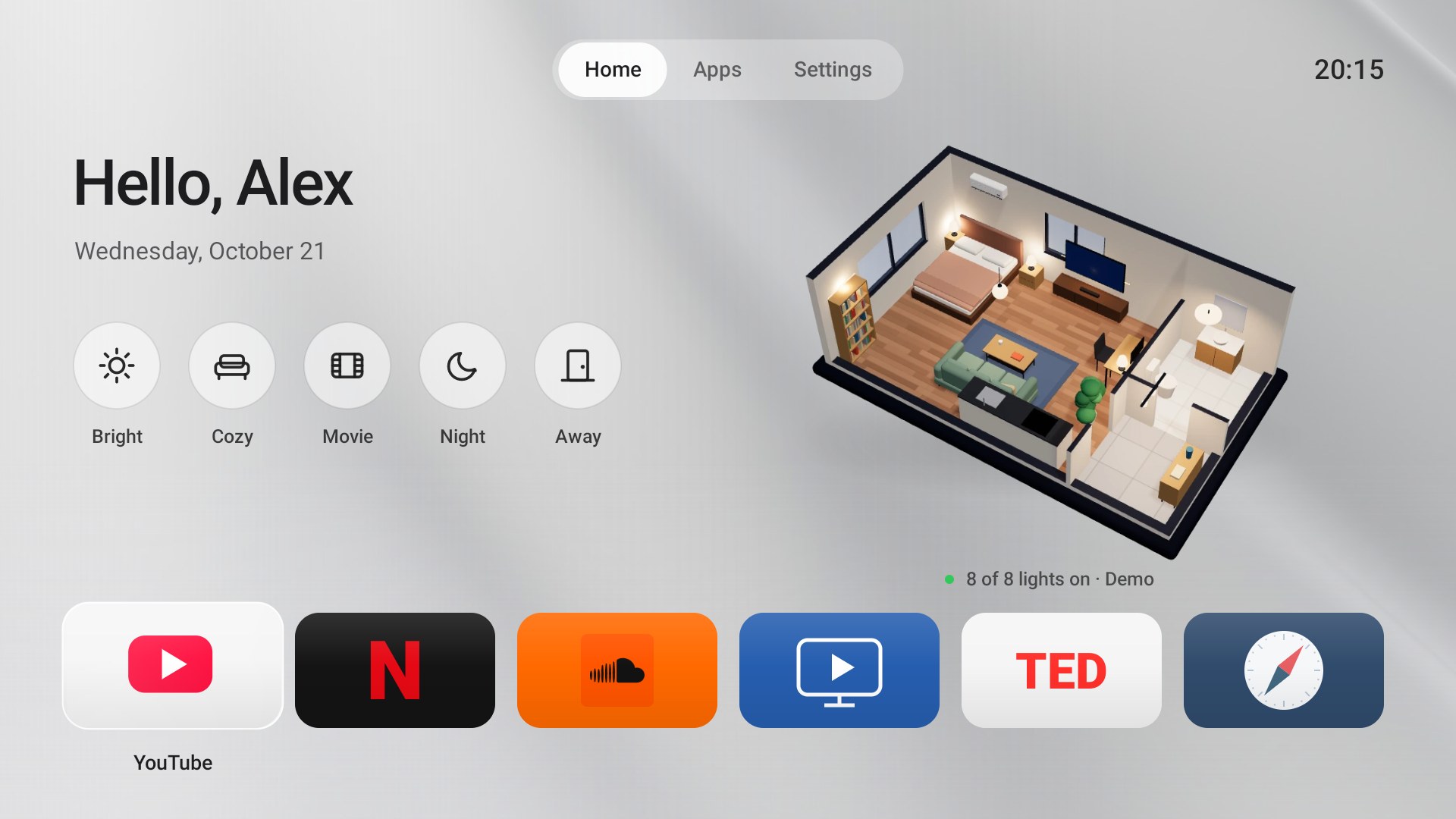
Luma TV home screen
The creator: @0xProbabillityOriginal post
Swap your TV's ad-filled home screen for a calm, open-source one
- Posted
- GitHub stars
- 224 (GitHub)
- Likes on X
- 4.5K (X post)
What you need
- Difficulty
- Beginner · Our suggestion
- License
- MIT
Parts
- Android TV or Google TV device on Android 8.0 or newer (creator uses a Xiaomi TV Stick), Mac or Linux computer with ADB, on the same network
- AI model or service
- Claude Code (creator says it built the launcher), Claude Code or Codex for setup, via the creator's copy-paste prompts
Source-listed parts
As an Amazon Associate HardwareLab earns from qualifying purchases.
- Find Android TV or Google TV device on Amazon (source)
The README requires Android 8.0 or newer and debugging enabled.
Steps
- Difficulty
- Beginner
- Turn on USB / network debugging on the TV (Settings → Device Preferences → About: press Build 7 times).
- adb connect <TV IP>:5555 from a Mac or Linux computer on the same network.
- Install luma-tv.apk from Releases, or ./luma.sh install to build and install.
- ./luma.sh home to make Luma the home screen; ./luma.sh restore to undo.
Full instructions: View original
Like this build? Get the weekly builds
Every Thursday: the 5 best gadget hacks you can copy. Free.
Built something? Submit a build
Overview
Luma is an open-source, MIT-licensed home screen for Android TV and Google TV by @0xProbabillity: "Your favourite apps over living wallpapers, with no ads, no sponsored rows and no tracking." The creator says it was built with Claude Code, and the creator's setup guide has copy-paste prompts so Claude Code or Codex can install it over ADB. With the creator's separate House Control TV app it also adds smart-home scene buttons and a 3D model of the home.
What it does
- “A calm, tvOS-inspired home screen for Android TV and Google TV. Your favourite apps over living wallpapers, with no ads, no sponsored rows and no tracking.”
- “Gave Claude Code the model number. It found the TV on Wi-Fi, removed 25 Xiaomi packages and built this launcher.”
- Home widgets: “Up Next”, “Weather”, “Now Playing”, “Inputs” (consoles recognised over HDMI-CEC) and “Control”.
- “Luma works on its own: it needs no smart home, account or other app.” With House Control TV installed it adds “five round scene buttons and a live 3D model of your home”.
- “You don't need to know anything about Android: an AI coding agent does the setup. Below are copy-paste prompts for Claude Code or Codex.”
Use-case ideas
- Replace an ad-heavy stock launcher on a cheap TV stick
- Movie night with smart lights: “press Cozy on the home screen and the real lamps come on. Press Movie and the lights go down, then Netflix opens.” (needs House Control TV)
How it works
Luma is a plain-Java Android TV launcher with no third-party libraries. You turn on debugging on the TV, connect from a Mac or Linux computer with ADB, install the APK, then `./luma.sh home` makes it the default home screen (switching the stock launcher off with `pm disable-user` if needed); `./luma.sh restore` undoes it. The AI part is the build and setup: the creator says Claude Code built the launcher, and the creator's guide hands the install to an AI coding agent. Nothing AI runs on the TV.
| Layer | Component | Runs on |
|---|---|---|
| Device | Android TV / Google TV, Android 8.0+ | TV or TV stick |
| Launcher | Luma (plain Java, no third-party libraries) | TV |
| Install | ADB + luma.sh | Mac or Linux computer |
| Build and setup agent | Claude Code or Codex | Computer |
| Smart home (optional) | House Control TV (MIT): Smart Life, Home Assistant, Philips Hue | TV |
Setup effort
Limits and caveats
- Needs Android 8.0 or newer: “Android 6 isn’t compatible.”
- Fire TV: “Not officially supported yet… setting it as the default home screen is harder - Amazon locks the launcher more tightly than normal Android TV.”
- Install needs a Mac or Linux computer with ADB (README requirements).
- No AI runs on the TV; AI is used to build and install it.
Hardware
- Android TV or Google TV device on Android 8.0 or newer (creator uses a Xiaomi TV Stick)
- Mac or Linux computer with ADB, on the same network
Credits and links
- @0xProbabillity: Creator
- License: MIT
Sources
- github.com/0xProbabillity/luma-tv
- x.com/0xProbabillity/status/2111593016767270980
- x.com/0xProbabillity/status/2112177721245659590
- x.com/0xProbabillity/status/2114393126890811828
- github.com/0xProbabillity/house-control-tv
- x.com/0xProbabillity/status/2113732295056298079
- x.com/0xProbabillity/status/2113587979700613286
This page is a short summary written by HardwareLab. Build steps, code and photos belong to the creator; follow “View original” for the full project.
Featured? Add this badge
Built this? Paste the badge into your README. It links back to this page.

Markdown
[](https://hardwarelab.dev/projects/luma-tv/?utm_source=badge&utm_medium=referral&utm_campaign=launch_2w)HTML
<a href="https://hardwarelab.dev/projects/luma-tv/?utm_source=badge&utm_medium=referral&utm_campaign=launch_2w"><img src="https://hardwarelab.dev/badge.svg" alt="Featured on HardwareLab" width="188" height="20"></a>Related builds
All 14 in Smart Home
3D Home TV OS
A Google TV home screen that is a live 3D model of your home, with the lights wired in and no ads.
- Google TV or Android TV (tested on a Philips Google TV)
- Philips Hue or other Home Assistant lights
- iPhone or iPad Pro with LiDAR (optional, for the scanner app)
- +1 more
Advanced · Our suggestion59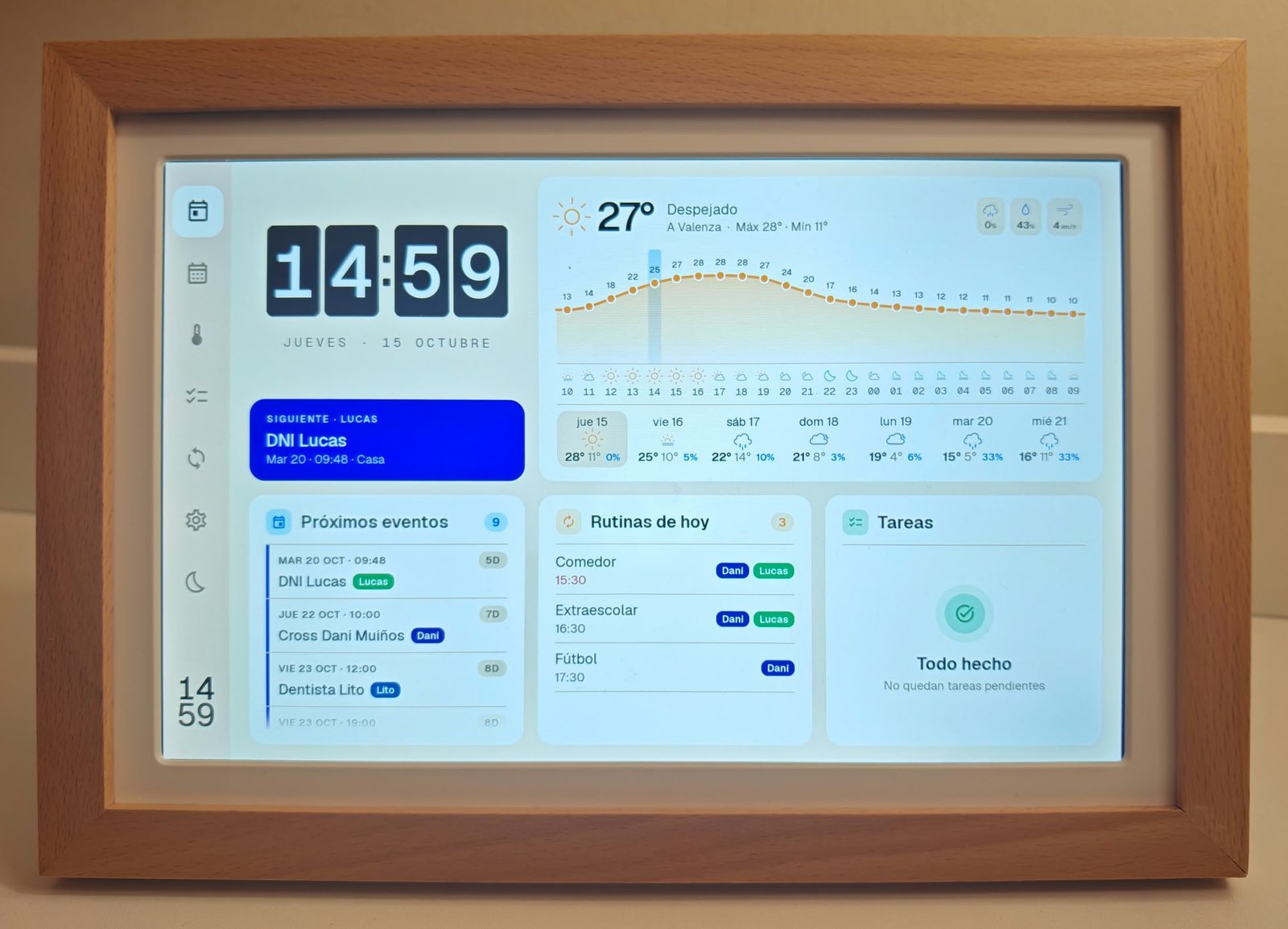
Turn a digital photo frame into a family wall dashboard
Lito turned a 10.1" XORO photo frame into a native Android kiosk with weather, a week calendar, routines and tasks; the repo is a guide for coding agents like Claude Code.
- XORO CPF 10PF 10.1" digital photo frame (1920x1200, Android 10 eng build)
- Computer with ADB for setup
Advanced40DIY Skylight-style family calendar
Skipped the subscription and built it with a Pi and Claude Code.
- Raspberry Pi
- display
Beginner
ESP32-S3 Home Assistant voice satellite
An ESP32-S3 voice satellite that answers faster than Alexa.
- ESP32-S3 N8R8
- INMP441 mic
- MAX98357A amp
- +2 more
Intermediate
Frigate NVR Guide
Local AI surveillance with Frigate and a Hailo-boosted Pi.
- Raspberry Pi 5
- Hailo AI accelerator
- IP cameras
Intermediate661
Koala Satellite
A premium ESP32-S3 + XMOS voice satellite for Home Assistant.
- ESP32-S3 DevKitC
- ReSpeaker Lite XU316
- LED strip
Intermediate163
