RPi 5 AI robot
Raspberry Pi 5 robot with wake word, voice chat, camera questions, motor control and an autonomous explore mode with obstacle avoidance.
- Hardware:
- Raspberry Pi 5, camera, motors, distance sensor
- Difficulty:
- Intermediate
- Creator:
- shatrix
'Hey Jarvis, explore': a Pi 5 rover with local LLMs.
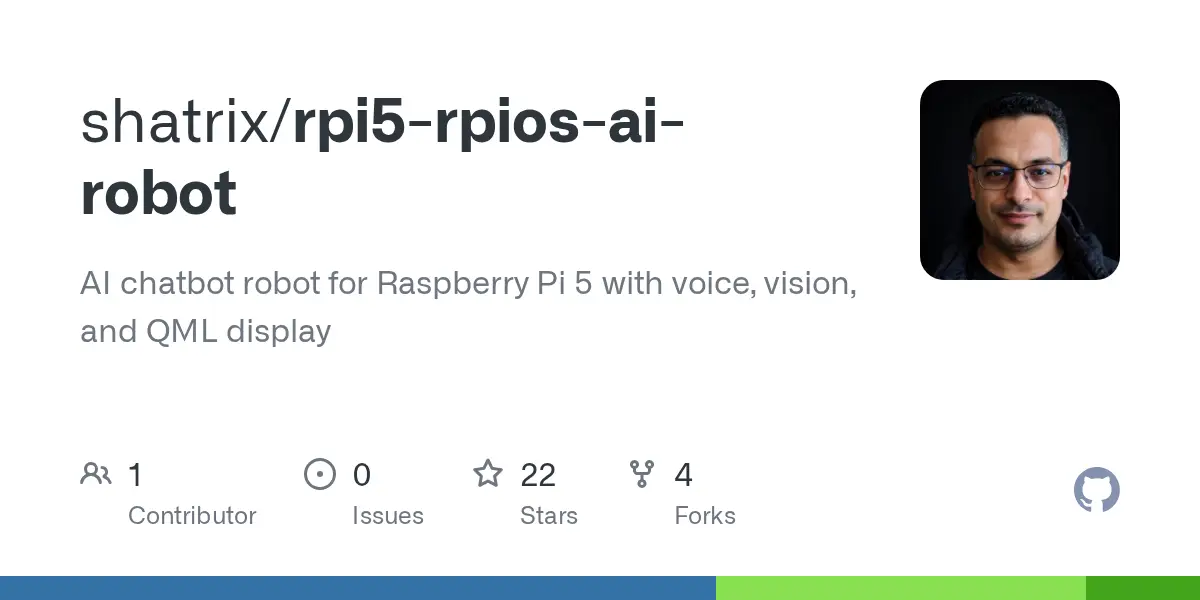
By shatrix
What it does
Raspberry Pi 5 robot with wake word, voice chat, camera questions, motor control and an autonomous explore mode with obstacle avoidance. It runs offline or offloads to a network GPU.
What you need
- Runs offline
- Yes, per the source
- Difficulty
- Intermediate
- License
- No license stated
Parts
- 1 × Raspberry Pi 5 (4GB RAM (minimum))
- 1 × SPI Touch Display (3.5" piscreen compatible)
- 1 × Raspberry Pi Camera Module 3 (IMX708)
- 1 × USB Audio Adapter (With mic input + speaker output) [not stated]
- 1 × Microphone (USB or via USB audio adapter)
- 1 × Speakers (Powered speakers (USB or 3.5mm))
- 1 × Motor Driver HAT (Waveshare (PCA9685 + TB6612FNG))
- 4 × DC Motors (Geared motors with 48mm Mecanum wheels)
- 2 × HC-SR04-P (3.3V version)
- 5 × Push Buttons (Momentary SPST)
- 1 × Battery Pack (7.2V NiMH or 2S LiPo)
- 1 × Active Cooler (Official RPi5 Active Cooler) [recommended]
- 1 × SD Card / NVMe (16GB+ (32GB recommended))
- 1 × Robot Chassis (Tank/differential drive compatible) [not stated]
- Wires & Connectors (Various) [not stated]
- AI model or service
- Llama 3.2, Moondream, qwen3-vl, VOSK, Piper
Prices, notes and sources: Parts and requirements
Parts and requirements
| Part | Spec / notes | Needed | Price |
|---|---|---|---|
| 1 × Raspberry Pi 5 | 4GB RAM (minimum) | Required | |
| 1 × SPI Touch Display | 3.5" piscreen compatible | Required | |
| 1 × Raspberry Pi Camera Module 3 (IMX708) | Required | ||
| 1 × USB Audio Adapter | With mic input + speaker output | Not stated | |
| 1 × Microphone | USB or via USB audio adapter | Required | |
| 1 × Speakers | Powered speakers (USB or 3.5mm) | Required | |
| 1 × Motor Driver HAT | Waveshare (PCA9685 + TB6612FNG) | Required | |
| 4 × DC Motors | Geared motors with 48mm Mecanum wheels | Required | |
| 2 × HC-SR04-P (3.3V version) | Required | ||
| 5 × Push Buttons | Momentary SPST | Required | |
| 1 × Battery Pack | 7.2V NiMH or 2S LiPo | Required | |
| 1 × Active Cooler | Official RPi5 Active Cooler | Recommended | |
| 1 × SD Card / NVMe | 16GB+ (32GB recommended) | Required | |
| 1 × Robot Chassis | Tank/differential drive compatible | Not stated | |
| Wires & Connectors | Various | Not stated |
Steps
- Difficulty
- Intermediate
- Flash Raspberry Pi OS (64-bit, Debian 13 Bookworm) to the SD card or SSD.
- Display connections: VCC to Pin 2, GND to Pin 6, MOSI to Pin 19, SCLK to Pin 23, CS to Pin 24, DC to Pin 18, RST to Pin 22.
- Camera Module 3 (IMX708): FFC Cable (22-pin) to CAM0 or CAM1 Port.
- Motor HAT: VCC (Logic) to Pin 1, GND to Pin 9, SDA to Pin 3 (GPIO 2), SCL to Pin 5 (GPIO 3); I2C Address: 0x40.
- HC-SR04-P ultrasonic sensors: Left Trigger to GPIO 22, Echo to GPIO 23; Right Trigger to GPIO 16, Echo to GPIO 12.
- SSH to the Raspberry Pi, cd ~/rpi5-rpios-ai-robot, and run
sudo ./setup.sh.
Full instructions: View original
How it works
OpenWakeWord + VOSK + Ollama (Llama 3.2 / Moondream or qwen3-vl) + Piper; QML display.
Limits and caveats
- Raspberry Pi 5: 4GB RAM minimum.
- 16GB+ SD card or NVMe SSD; 32GB+ recommended for models.
- Battery powers only the motors; the RPi5 requires separate power (USB-C).
Like this build? Get the weekly builds
Every Thursday: the 5 best gadget hacks you can copy. Free.
Built something? Submit a build
Hardware
- Raspberry Pi 5
- camera
- motors
- distance sensor
This page is a short summary written by HardwareLab. Build steps, code and photos belong to the creator; follow “View original” for the full project.
Featured? Add this badge
Built this? Paste the badge into your README. It links back to this page.

Markdown
[](https://hardwarelab.dev/projects/rpi5-ai-robot/?utm_source=badge&utm_medium=referral&utm_campaign=launch_2w)HTML
<a href="https://hardwarelab.dev/projects/rpi5-ai-robot/?utm_source=badge&utm_medium=referral&utm_campaign=launch_2w"><img src="https://hardwarelab.dev/badge.svg" alt="Featured on HardwareLab" width="188" height="20"></a>Related builds
All 28 in Robots & Rovers
DinoDesk AI
A LEGO desk robot that chats with local Gemma 4.
- Raspberry Pi
- LEGO body
- Pirate Audio LCD/speaker
- +2 more
Intermediate13
Give an AI a Body (PiDog)
A PiDog robot dog wired to an LLM brain with local vision.
- SunFounder PiDog (Pi 4 body)
- Raspberry Pi 5 brain
Intermediate24
Functional Odradek from Death Stranding
A Death Stranding Odradek that listens, tracks and scans for AI glasses.
- Raspberry Pi 5 8GB
- Camera Module 3
- AI HAT+ 2 (Hailo-10H)
- +2 more
AdvancedMOSS
A modular home robot you can build from parts you already own.
- Raspberry Pi (optional)
- depth camera
Advanced
AImy
Offline vision-enabled voice assistant on a Pi 5 with an LLM accelerator.
- Raspberry Pi 5
- LLM-8850 accelerator
- camera
Advanced23
Raspberry Pi 5 Hailo 8 Pothole Detection System
Detects, classifies and sizes potholes from a Pi 5.
- Raspberry Pi 5
- Hailo-8
- camera
Advanced144

Sources
- github.com/shatrix/rpi5-rpios-ai-robot/blob/1d5424e1615a5ae16a8ba8bd12f3cbe09a332824/docs/HARDWARE_CONNECTIONS.md#L352-L354
- github.com/shatrix/rpi5-rpios-ai-robot/blob/1d5424e1615a5ae16a8ba8bd12f3cbe09a332824/docs/HARDWARE_CONNECTIONS.md#L352-L355
- github.com/shatrix/rpi5-rpios-ai-robot/blob/1d5424e1615a5ae16a8ba8bd12f3cbe09a332824/docs/HARDWARE_CONNECTIONS.md#L352-L356
- github.com/shatrix/rpi5-rpios-ai-robot/blob/1d5424e1615a5ae16a8ba8bd12f3cbe09a332824/docs/HARDWARE_CONNECTIONS.md#L357
- github.com/shatrix/rpi5-rpios-ai-robot/blob/1d5424e1615a5ae16a8ba8bd12f3cbe09a332824/docs/HARDWARE_CONNECTIONS.md#L358
- github.com/shatrix/rpi5-rpios-ai-robot/blob/1d5424e1615a5ae16a8ba8bd12f3cbe09a332824/docs/HARDWARE_CONNECTIONS.md#L359
- github.com/shatrix/rpi5-rpios-ai-robot/blob/1d5424e1615a5ae16a8ba8bd12f3cbe09a332824/docs/HARDWARE_CONNECTIONS.md#L360
- github.com/shatrix/rpi5-rpios-ai-robot/blob/1d5424e1615a5ae16a8ba8bd12f3cbe09a332824/docs/HARDWARE_CONNECTIONS.md#L361
- github.com/shatrix/rpi5-rpios-ai-robot/blob/1d5424e1615a5ae16a8ba8bd12f3cbe09a332824/docs/HARDWARE_CONNECTIONS.md#L352-L362
- github.com/shatrix/rpi5-rpios-ai-robot/blob/1d5424e1615a5ae16a8ba8bd12f3cbe09a332824/docs/HARDWARE_CONNECTIONS.md#L352-L363
- github.com/shatrix/rpi5-rpios-ai-robot/blob/1d5424e1615a5ae16a8ba8bd12f3cbe09a332824/docs/HARDWARE_CONNECTIONS.md#L352-L364
- github.com/shatrix/rpi5-rpios-ai-robot/blob/1d5424e1615a5ae16a8ba8bd12f3cbe09a332824/docs/HARDWARE_CONNECTIONS.md#L365
- github.com/shatrix/rpi5-rpios-ai-robot/blob/1d5424e1615a5ae16a8ba8bd12f3cbe09a332824/docs/HARDWARE_CONNECTIONS.md#L366
- github.com/shatrix/rpi5-rpios-ai-robot/blob/1d5424e1615a5ae16a8ba8bd12f3cbe09a332824/docs/HARDWARE_CONNECTIONS.md#L367
- github.com/shatrix/rpi5-rpios-ai-robot/blob/1d5424e1615a5ae16a8ba8bd12f3cbe09a332824/docs/HARDWARE_CONNECTIONS.md#L368
- github.com/shatrix/rpi5-rpios-ai-robot/blob/1d5424e1615a5ae16a8ba8bd12f3cbe09a332824/README.md
- github.com/shatrix/rpi5-rpios-ai-robot/blob/1d5424e1615a5ae16a8ba8bd12f3cbe09a332824/README.md#L11-L11
- github.com/shatrix/rpi5-rpios-ai-robot/blob/1d5424e1615a5ae16a8ba8bd12f3cbe09a332824/README.md#L19-L19
- github.com/shatrix/rpi5-rpios-ai-robot/blob/1d5424e1615a5ae16a8ba8bd12f3cbe09a332824/docs/HARDWARE_CONNECTIONS.md#L218-L221