Local Voice
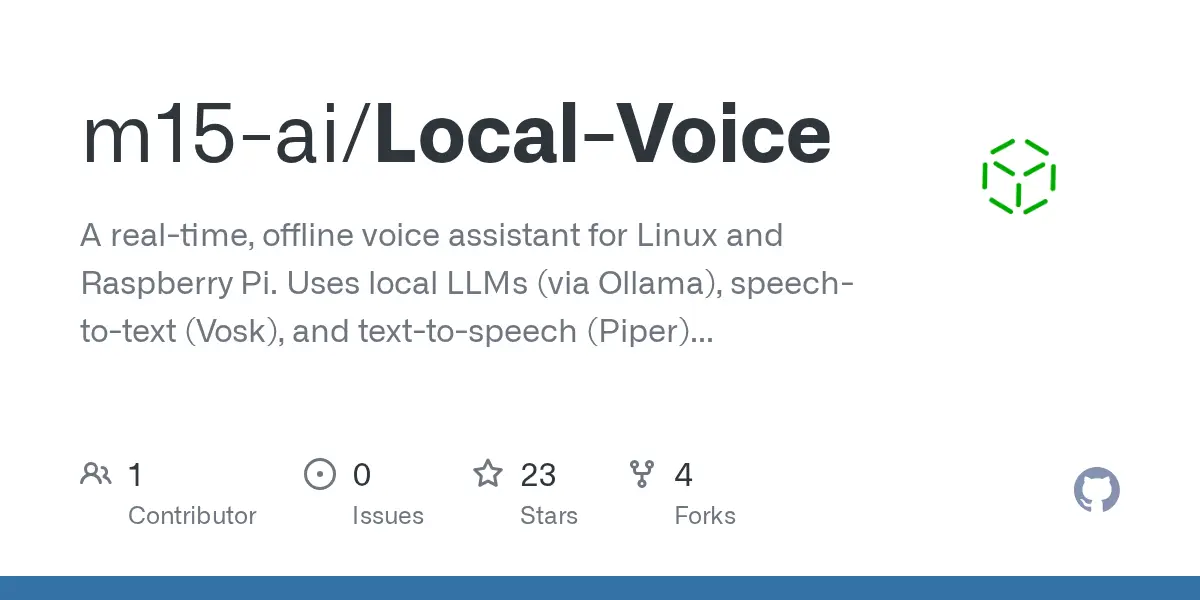
A lightweight, low-latency voice assistant that runs fully offline on a Raspberry Pi 5 or Linux machine, with no cloud and no API keys.
- Hardware:
- Raspberry Pi
- Difficulty:
- Intermediate
- Creator:
- m15-ai
Real-time offline voice assistant for Pi and Linux.
By m15-ai
- Posted
What it does
A lightweight, low-latency voice assistant that runs fully offline on a Raspberry Pi 5 or Linux machine, with no cloud and no API keys.
- Microphone Input using PyAudio
- Real-Time Transcription with Vosk
- LLM-Powered Responses using Ollama with models like gemma2:2b, qwen2.5:0.5b
- Natural Voice Output via Piper TTS
What you need
- Runs offline
- Yes, per the source
- Difficulty
- Intermediate
- License
- No license stated
Parts
- Raspberry Pi 5
- USB microphone [not stated]
- AI model or service
- Ollama, Vosk, Piper
Prices, notes and sources: Parts and requirements
Parts and requirements
| Part | Spec / notes | Needed | Price |
|---|---|---|---|
| Raspberry Pi 5 | A Linux desktop also works. | Required | |
| USB microphone | Not stated |
- OS: Raspberry Pi 5 or Linux desktop
- Python 3.9+
- PyAudio, NumPy, requests, soxr, pydub, vosk
- SoX + ALSA utilities
- Ollama with one or more small LLMs
- Piper TTS with ONNX voice models
Steps
- Difficulty
- Intermediate
- Install dependencies: pip install pyaudio requests soxr numpy pydub vosk
- sudo apt install sox alsa-utils
- Place a config file at va_config.json
Full instructions: View original
How it works
PyAudio captures the microphone, Vosk transcribes in real time, and a small local LLM through Ollama (for example gemma2:2b or qwen2.5:0.5b) replies. Piper TTS speaks the answer, with optional SoX effects. A JSON config sets the model, voice and how many past exchanges the model remembers.
| Layer | Component | Runs on |
|---|---|---|
| STT | Vosk | Raspberry Pi or Linux machine |
| TTS | Piper TTS | Raspberry Pi or Linux machine |
Limits and caveats
- Ollama is not a Python package — it is a background service.
- Make sure both .onnx and .json are present in the voices/ folder with matching names.
Like this build? Get the weekly builds
Every Thursday: the 5 best gadget hacks you can copy. Free.
Built something? Submit a build
Use-case ideas
- Offline smart assistants
- Wearable or embedded AI demos
- Voice-controlled kiosks
Hardware
- Raspberry Pi
This page is a short summary written by HardwareLab. Build steps, code and photos belong to the creator; follow “View original” for the full project.
Featured? Add this badge
Built this? Paste the badge into your README. It links back to this page.

Markdown
[](https://hardwarelab.dev/projects/local-voice/?utm_source=badge&utm_medium=referral&utm_campaign=launch_2w)HTML
<a href="https://hardwarelab.dev/projects/local-voice/?utm_source=badge&utm_medium=referral&utm_campaign=launch_2w"><img src="https://hardwarelab.dev/badge.svg" alt="Featured on HardwareLab" width="188" height="20"></a>Related builds
All 44 in Voice Assistants & Companions
Daedalus voice terminal
An ESP32 voice terminal for a home AI running OpenClaw.
- ESP32
- mic
- speaker
- +2 more
Intermediate
Whisplay offline voice assistant
A battery-powered Pi 5 voice assistant that works offline.
- Raspberry Pi 5 8GB
- PiSugar Whisplay HAT (LCD/mics/speaker/button)
- PiSugar 3 Plus 5000mAh
- +1 more
Beginner533Bring-your-own-key smart speaker
A Pi smart speaker where nothing leaves your network unless you say so.
- Raspberry Pi
- mic
- speaker
Beginner
AImy
Offline vision-enabled voice assistant on a Pi 5 with an LLM accelerator.
- Raspberry Pi 5
- LLM-8850 accelerator
- camera
Advanced23


Sources
- github.com/m15-ai/Local-Voice/blob/e70dbf5f867bea765e3af8747f34b4e33fe706a4/README.md#L15-L15
- github.com/m15-ai/Local-Voice/blob/e70dbf5f867bea765e3af8747f34b4e33fe706a4/README.md#L16-L16
- github.com/m15-ai/Local-Voice/blob/e70dbf5f867bea765e3af8747f34b4e33fe706a4/README.md#L17-L17
- github.com/m15-ai/Local-Voice/blob/e70dbf5f867bea765e3af8747f34b4e33fe706a4/README.md#L18-L18
- github.com/m15-ai/Local-Voice/blob/e70dbf5f867bea765e3af8747f34b4e33fe706a4/README.md#L322-L322
- github.com/m15-ai/Local-Voice/blob/e70dbf5f867bea765e3af8747f34b4e33fe706a4/README.md#L324-L324
- github.com/m15-ai/Local-Voice/blob/e70dbf5f867bea765e3af8747f34b4e33fe706a4/README.md#L326-L326
- github.com/m15-ai/Local-Voice/blob/e70dbf5f867bea765e3af8747f34b4e33fe706a4/README.md#L27-L27
- github.com/m15-ai/Local-Voice/blob/e70dbf5f867bea765e3af8747f34b4e33fe706a4/README.md#L176-L178
- github.com/m15-ai/Local-Voice/blob/e70dbf5f867bea765e3af8747f34b4e33fe706a4/README.md#L27-L32
- github.com/m15-ai/Local-Voice/blob/e70dbf5f867bea765e3af8747f34b4e33fe706a4/README.md#L3-L4
- github.com/m15-ai/Local-Voice/blob/e70dbf5f867bea765e3af8747f34b4e33fe706a4/README.md#L34-L43
- github.com/m15-ai/Local-Voice/blob/e70dbf5f867bea765e3af8747f34b4e33fe706a4/README.md#L248-L249
- github.com/m15-ai/Local-Voice/blob/e70dbf5f867bea765e3af8747f34b4e33fe706a4/README.md#L290-L290