Willow
Willow runs on ESP32-S3-BOX devices that you flash and upgrade from the Willow Application Server (WAS); you no longer have to build Willow yourself.
- Hardware:
- ESP32-S3-BOX
- Difficulty:
- Intermediate · Our suggestion
- License:
- Apache-2.0
- Creator:
- HeyWillow
Self-hosted Willow devices, application server and inference server
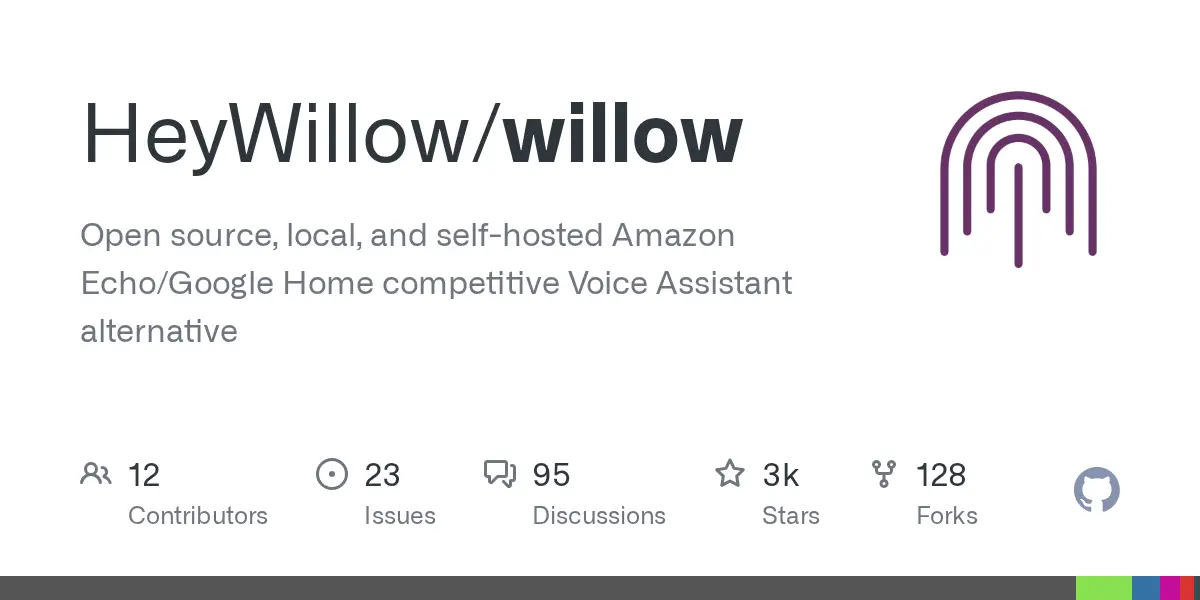
By HeyWillow
- Posted
What it does
Willow runs on ESP32-S3-BOX devices that you flash and upgrade from the Willow Application Server (WAS); you no longer have to build Willow yourself. Users can also self-host the Willow Inference Server for language inference tasks, including STT, TTS, LLM, and more.
- Self-host the Willow Inference Server for language inference tasks with Willow and other applications, including STT, TTS, LLM, and more.
- Run Willow Application Server and connect to it; the Willow Web Flasher downloads a release image from GitHub, injects your Wi-Fi credentials and WAS URL, and flashes your device.
- Over-the-air upgrades with verification and automatic rollbacks on upgrade failure; cached releases let Willow run in an isolated VLAN without Internet access.
What you need
- Difficulty
- Intermediate · Our suggestion
- License
- Apache-2.0 (source)
Parts
- ESP32-S3-BOX-3, ESP32-S3-BOX or ESP32-S3-BOX-LITE
- AI model or service
- Willow Inference Server (STT, TTS, LLM) (source)
Prices, notes and sources: Parts and requirements
Parts and requirements
| Part | Spec / notes | Needed | Price |
|---|---|---|---|
| ESP32-S3-BOX-3, ESP32-S3-BOX or ESP32-S3-BOX-LITE | The three device targets WAS names for Willow builds | Required |
Steps
- Difficulty
- Intermediate · Our suggestion
- Run Willow Application Server (docker run)
- Visit http://my_was_host:8502 in your browser
- Flash the device with the Willow Web Flasher, which injects your Wi-Fi credentials and WAS URL
Full instructions: View original
How it works
Run the Willow Application Server and connect to it. It guides you to the Willow Web Flasher, which downloads a Willow release image from GitHub, injects your Wi-Fi credentials and WAS URL and flashes your device; later upgrades go over the air from WAS. The self-hosted Willow Inference Server handles STT, TTS, LLM and more.
| Layer | Component | Runs on |
|---|---|---|
| Firmware | Willow | ESP32-S3-BOX-3, ESP32-S3-BOX, ESP32-S3-BOX-LITE |
| Application server | Willow Application Server (WAS) | Docker (ghcr.io/heywillow/willow-application-server) |
| Inference | Willow Inference Server (STT, TTS, LLM) | Self-hosted |
Setup effort
Run WAS in Docker, open its web page and flash your device with the Willow Web Flasher; no build needed.
Limits and caveats
- Your own builds need the right target hardware selected in the “Audio HAL” section, and a bad build can boot loop; recover with the Willow Web Flasher or the build system.
Like this build? Get the weekly builds
Every Thursday: the 5 best gadget hacks you can copy. Free.
Built something? Submit a build
The creator's config
Copied word for word from the creator's repository, at the commit linked in each source.
Run Willow Application Server
docker run --detach --name=willow-application-server --env TZ="Europe/Sofia" --pull=always --network=host --restart=unless-stopped --volume=was-storage:/app/storage ghcr.io/heywillow/willow-application-server
Use-case ideas
- Use the Willow Inference Server for language inference with Willow and other applications (even WebRTC).
Why it's interesting
The Willow Application Server README describes an onboarding process simplified as much as possible: it is no longer required to build Willow yourself. You run Willow Application Server (WAS) in Docker and connect to it, and it guides you to the Willow Web Flasher, which downloads a Willow release image from GitHub, injects your Wi-Fi credentials and WAS URL into the NVS partition and flashes your device. Devices are then configured and upgraded from the WAS web page on port 8502. Over-the-air upgrades come with a great deal of verification and automatic rollbacks on upgrade failure, and because WAS caches the release binaries it downloads, Willow can run in an isolated VLAN without Internet access. You can also hand WAS your own Willow builds for the ESP32-S3-BOX-3, ESP32-S3-BOX or ESP32-S3-BOX-LITE, and recover from a boot loop with the Web Flasher.
Source: github.com/HeyWillow/willow-application-server#readme
Hardware
- ESP32-S3-BOX
Credits and links
This page is a short summary written by HardwareLab. Build steps, code and photos belong to the creator; follow “View original” for the full project.
Featured? Add this badge
Built this? Paste the badge into your README. It links back to this page.

Markdown
[](https://hardwarelab.dev/projects/willow/?utm_source=badge&utm_medium=referral&utm_campaign=launch_2w)HTML
<a href="https://hardwarelab.dev/projects/willow/?utm_source=badge&utm_medium=referral&utm_campaign=launch_2w"><img src="https://hardwarelab.dev/badge.svg" alt="Featured on HardwareLab" width="188" height="20"></a>Related builds
All 44 in Voice Assistants & CompanionsDaedalus voice terminal
An ESP32 voice terminal for a home AI running OpenClaw.
- ESP32
- mic
- speaker
- +2 more
Intermediate
RIO XIAO ESP32 S3 Gemini Live Voice Assistant
Standalone full-duplex Gemini Live assistant on a XIAO.
- XIAO ESP32S3 Sense
Intermediate3
Alex: ESP32 voice assistant with puppy eyes
A bare ESP32 voice assistant with animated OLED eyes.
- ESP32-D0WD-V3
- INMP441 I2S mic
- MAX98357A amp + 3W speaker
- +1 more
Beginner
Local Xiaozhi on a Waveshare ESP32-S3 audio board
A Xiaozhi voice assistant that only talks to your own LAN server.
- Waveshare ESP32-S3-AUDIO-Board (ES8311/ES7210, dual mic AEC, amp, RGB LEDs)
IntermediateESP32-S3 voice frontend
An ESP32-S3 voice frontend that keeps GPIO and network actions local.
- ESP32-S3
- INMP441 I2S mic
- MAX98357A amp/speaker (Gerbers optional)
Intermediate

Sources
- github.com/HeyWillow/willow/blob/415ba07007f49873649d36e0b384d72640f1cfac/README.md?plain=1#L3
- github.com/HeyWillow/willow-application-server/blob/a9c0f722c3fcebf39e21f79cbe6c592f814914bf/README.md?plain=1#L5-L6
- github.com/HeyWillow/willow-application-server/blob/a9c0f722c3fcebf39e21f79cbe6c592f814914bf/README.md?plain=1#L29-L31
- github.com/HeyWillow/willow-application-server/blob/a9c0f722c3fcebf39e21f79cbe6c592f814914bf/README.md?plain=1#L11
- github.com/HeyWillow/willow-application-server/blob/a9c0f722c3fcebf39e21f79cbe6c592f814914bf/README.md?plain=1#L39-L43
- github.com/HeyWillow/willow-application-server/blob/a9c0f722c3fcebf39e21f79cbe6c592f814914bf/README.md?plain=1#L5-L25
- github.com/HeyWillow/willow-application-server/blob/a9c0f722c3fcebf39e21f79cbe6c592f814914bf/README.md?plain=1#L37-L50