OpenSource AI Glasses (embedded Linux)
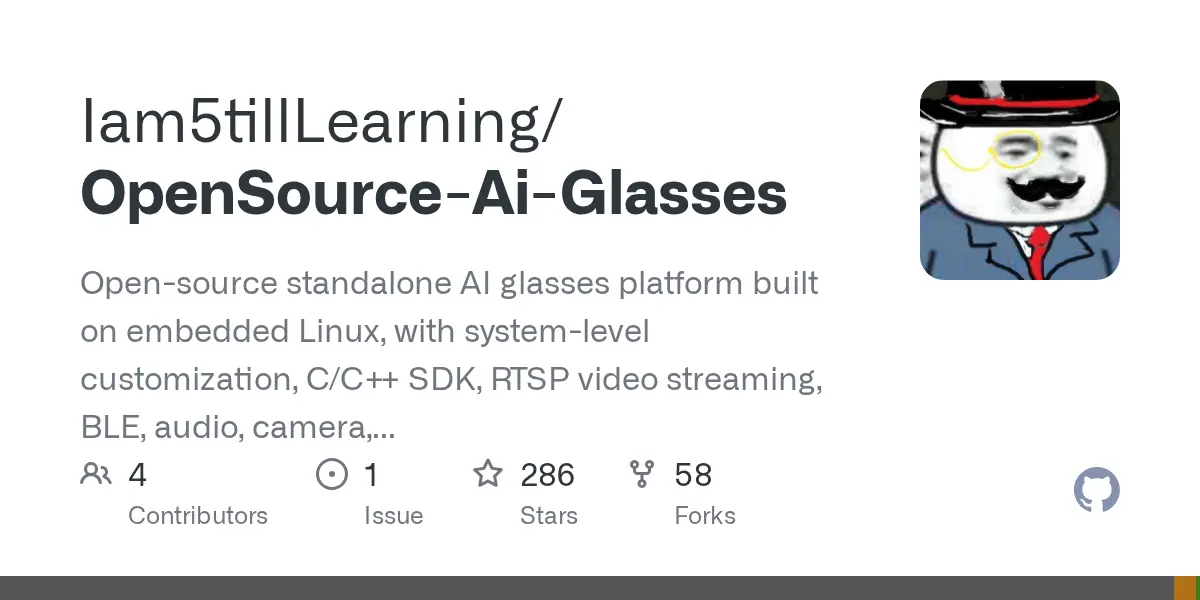
Open source (Apache-2.0) standalone AI glasses platform on embedded Linux by Iam5tillLearning, with a camera, optional 640x480 monocular display, C/C++ SDK, RTSP video streaming, and open-source system customization.
- Hardware:
- RV1106B development board or official integrated AI glasses kit, camera, optional 640x480 monocular display
- Difficulty:
- Advanced
- License:
- Apache-2.0
- Creator:
- Iam5tillLearning
Standalone AI glasses with a C/C++ SDK and RTSP video.
- Posted
What it does
Open source (Apache-2.0) standalone AI glasses platform on embedded Linux by Iam5tillLearning, with a camera, optional 640x480 monocular display, C/C++ SDK, RTSP video streaming, and open-source system customization.
- Open source (Apache-2.0) embedded Linux smart glasses software stack with camera capture and RTSP video streaming for mobile live preview and cloud-side video AI recognition.
- Provides a complete C/C++ SDK so developers can access underlying hardware capabilities and build custom applications.
- Supports an optional 30° FOV 640x480 monocular display alongside audio-only builds.
- Latest release v0.7.2 (August 24, 2026) publishes AudioVersion and DisplayVersion firmware images alongside the standalone Android APK (osaig-0.3.0+10-release.apk).
What you need
- Difficulty
- Advanced
- License
- Apache-2.0 (source)
Parts
- RV1106B-based development board [not stated]
- 640x480 monocular display (30° FOV) [optional]
- AI model or service
- AI via SDK
Prices, notes and sources: Parts and requirements
Parts and requirements
| Part | Spec / notes | Needed | Price |
|---|---|---|---|
| RV1106B-based development board | Or use the official integrated AI glasses kit with preinstalled firmware (no BOM or schematic is published in the repo). | Not stated | |
| 640x480 monocular display (30° FOV) | Optional display module supported by the DisplayVersion firmware image. | Optional |
- OS: Debian/Ubuntu (native or WSL2)
- Network: required for first-time dependency installation
Steps
- Difficulty
- Advanced
- Clone the development environment from AIGLASS_DEV_ENV.
- Run ./setup_build_env.sh to fix/install build dependencies.
- Build firmware with ./build.sh or ./build.sh --without-display.
Full instructions: View original
How it works
Embedded Linux glasses with camera and streaming.
Limits and caveats
- Hardware compatibility: v0.6.x and v0.7.x firmware builds only support integrated hardware produced after January 1, 2026 (earlier hardware must stay on v0.6.0 or older).
- No BOM or schematic is published in the repository (hardware/ contains 3D models only), no price is listed in the repo, and documentation is 45% complete per the README.
- Only 2.4GHz Wi-Fi is supported. 5GHz/5G Wi-Fi is not supported.
- setup_build_env.sh relies on apt-get, so it supports Debian/Ubuntu systems (including Ubuntu/Debian in WSL2).
Like this build? Get the weekly builds
Every Thursday: the 5 best gadget hacks you can copy. Free.
Built something? Submit a build
Use-case ideas
- cloud-side video AI recognition, remote inspection, visual debugging, and mobile live preview
Hardware
- RV1106B development board or official integrated AI glasses kit
- camera
- optional 640x480 monocular display
Open source smart glasses: AI glasses and Meta Ray-Ban apps →
Credits and links
- Iam5tillLearning: Creator (maker)
- License: Apache-2.0 (source)
- Official AI glasses kit on Taobao (firmware preinstalled)
- Official AI glasses kit backup link on Taobao
- Release v0.7.2 (Aug 24, 2026) on GitHub
- Audio firmware: Firmware_RV1106B_RK962_IMX219.AudioVersion.img
- Display firmware: Firmware_RV1106B_RK962_IMX219.DisplayVersion.img
- Android APK: osaig-0.3.0+10-release.apk
This page is a short summary written by HardwareLab. Build steps, code and photos belong to the creator; follow “View original” for the full project.
Featured? Add this badge
Built this? Paste the badge into your README. It links back to this page.

Markdown
[](https://hardwarelab.dev/projects/opensource-ai-glasses/?utm_source=badge&utm_medium=referral&utm_campaign=launch_2w)HTML
<a href="https://hardwarelab.dev/projects/opensource-ai-glasses/?utm_source=badge&utm_medium=referral&utm_campaign=launch_2w"><img src="https://hardwarelab.dev/badge.svg" alt="Featured on HardwareLab" width="188" height="20"></a>Related builds
All 31 in Smart Glasses
Meta Glasses but better
DIY ESP32 glasses that answer what you see and say.
- ESP32
- camera
- microphone
Intermediate1
OpenGlass
Turn any glasses into hackable smart glasses with off-the-shelf components.
- Seeed Studio XIAO ESP32 S3 Sense
- battery
- printed mount
Beginner · Our suggestion4.2K
Ray-Ban Meta chess coach
Ray-Ban Meta glasses watch a chess board while an AI announces the best move, or shows it in AR on your phone.
- Ray-Ban Meta glasses (the creator says it works with all Meta glasses)
- iPhone running the creator's app
Advanced · Our suggestion
Hermes Glasses
Voice + vision assistant for Ray-Bans and Realtek-based glasses.
- Meta Ray-Ban
- AiSee/Realtek glasses
Advanced28
Visionclaw
Modular glasses: stock frame plus 3D-printed AI temples.
- XIAO ESP32S3 Sense
- bone-conduction audio
- 3D-printed temples
Intermediate2

Sources
- github.com/Iam5tillLearning/OpenSource-Ai-Glasses/blob/6f484558dc673a5520316876826706a45d767f89/README.md#L55-L55
- github.com/Iam5tillLearning/OpenSource-Ai-Glasses/blob/6f484558dc673a5520316876826706a45d767f89/README.md#L222-L222
- github.com/Iam5tillLearning/OpenSource-Ai-Glasses/blob/6f484558dc673a5520316876826706a45d767f89/README.md#L151
- github.com/Iam5tillLearning/OpenSource-Ai-Glasses/releases/tag/v0.7.2
- github.com/Iam5tillLearning/OpenSource-Ai-Glasses/blob/6f484558dc673a5520316876826706a45d767f89/README.md#L213-L213
- github.com/Iam5tillLearning/OpenSource-Ai-Glasses/blob/6f484558dc673a5520316876826706a45d767f89/README.md#L23-L23
- github.com/Iam5tillLearning/OpenSource-Ai-Glasses/blob/6f484558dc673a5520316876826706a45d767f89/docs/ENV_SETUP.en.md#L12-L14
- github.com/Iam5tillLearning/OpenSource-Ai-Glasses/blob/6f484558dc673a5520316876826706a45d767f89/docs/ENV_SETUP.en.md#L18-L45
- github.com/Iam5tillLearning/OpenSource-Ai-Glasses/blob/6f484558dc673a5520316876826706a45d767f89/README.md#L47
- github.com/Iam5tillLearning/OpenSource-Ai-Glasses/blob/6f484558dc673a5520316876826706a45d767f89/README.md#L21
- github.com/Iam5tillLearning/OpenSource-Ai-Glasses/blob/6f484558dc673a5520316876826706a45d767f89/README.md#L206-L206
- github.com/Iam5tillLearning/OpenSource-Ai-Glasses/blob/6f484558dc673a5520316876826706a45d767f89/README.md#L191-L191