Open Duck Mini
Open Duck Mini v2 is a miniature version of the BDX Droid by Disney, about 42 centimeters tall with its legs extended.
- Hardware:
- 3D-printed parts, servomotors, onboard computer
- Difficulty:
- Advanced · Our suggestion
- License:
- Apache-2.0
- Creator:
- apirrone
A miniature, 3D-printed version of the BDX Droid by Disney
By apirrone
What it does
Open Duck Mini v2 is a miniature version of the BDX Droid by Disney, about 42 centimeters tall with its legs extended. The parts are 3D-printed, walking policies are trained with reinforcement learning, and they run on the onboard computer, a Raspberry pi zero 2w. The repo is a hub for all of the project’s resources.
- A miniature version of the BDX Droid by Disney, about 42 centimeters tall with its legs extended.
- Two trained walking policies to try, run with v2_rl_walk_mujoco.py and --onnx_model_path.
- The runtime repo runs the policies on the onboard computer, a Raspberry pi zero 2w.
- Reference motions for imitation learning are generated in a separate repo; the actuators were identified with Rhoban’s BAM.
What you need
- Difficulty
- Advanced · Our suggestion
- License
- Apache-2.0 (source)
Parts
- 3D-printed parts (STL files in print/)
- Raspberry pi zero 2w
- Soldering iron, and basic electronics tools
- M3 screws
- Some wire
- Loctite Threadlocker blue 243
- usb-c charger
- IMU (BNO055)
- SD card
- 50cm micro usb to usb c cable
- Bearing
- Microphone
- AI model or service
- reinforcement learning walking policies (ONNX)
Prices, notes and sources: Parts and requirements
Parts and requirements
As an Amazon Associate HardwareLab earns from qualifying purchases.
| Part | Spec / notes | Needed | Price |
|---|---|---|---|
| 3D-printed parts (STL files in print/) | Standard PLA at 15% infill; foot_bottom_tpu.stl in TPU at 40% infill | Required | |
| Raspberry pi zero 2w | Onboard computer | Required | View on Amazon |
| Soldering iron, and basic electronics tools | Required | ||
| M3 screws | The exact number is still a TODO in the guide | Required | |
| Some wire | Required | ||
| Loctite Threadlocker blue 243 | Required | ||
| usb-c charger | Required | View on Amazon | |
| IMU (BNO055) | Required | View on Amazon | |
| SD card | Required | View on Amazon | |
| 50cm micro usb to usb c cable | Required | View on Amazon | |
| Bearing | Required | View on Amazon | |
| Microphone | Required | View on Amazon |
Parts used: Raspberry pi zero 2w (Amazon)As an Amazon Associate HardwareLab earns from qualifying purchases.
Steps
- Difficulty
- Advanced · Our suggestion
- Follow the Tnkr build guide
- Print the parts (print guide)
- Assemble the robot (assembly guide, incomplete)
Full instructions: View original
How it works
Walking policies are trained in simulation (the project is switching to MuJoCo Playground) and run on the onboard computer, a Raspberry pi zero 2w, through the Open_Duck_Mini_Runtime repo.
| Layer | Component | Runs on |
|---|---|---|
| Runtime | Open_Duck_Mini_Runtime: runs the policies | Raspberry pi zero 2w |
| Training | Policy training (separate repo) | Switching to Mujoco Playground |
Setup effort
Build with the Tnkr guide, the print guide and the assembly guide, which is still incomplete.
Limits and caveats
- A working repo, so there are a lot of undocumented scripts.
- Still missing the “expression” features (LEDs for the eyes, a camera, a speaker and a microphone); they can be added after building the robot.
- The guide to training policies that transfer to the real robot (sim2real) is not finalized yet.
Into walking robots? Get the Thursday email
Every Thursday: the 5 best gadget hacks you can copy. Free.
Built something? Submit a build
The creator's config
Copied word for word from the creator's repository, at the commit linked in each source.
Print settings (print guide)
All the parts are printed in standard PLA with 15% infill, except for `foot_bottom_tpu.stl`, which is to be printed in TPU at 40% infill.
Use-case ideas
- Train your own policies and help make the ducks walk nicely.
Why it's interesting
This repo is the hub for a miniature BDX Droid, about 42 centimeters tall. The mechanical design is pretty much finalized and the team reports big progress on sim2real; two trained walking policies are available as ONNX files to try in MuJoCo. Reference motions for imitation learning come from a separate generator repo, the actuators were identified with Rhoban’s BAM, and the policies run on a Raspberry pi zero 2w. The “expression” features (LEDs for the eyes, a camera, a speaker and a microphone) are still missing. The build is documented in a Tnkr guide, a print guide and an assembly guide that is still incomplete. If you want to train your own policies and contribute to making the ducks walk nicely, the README points to its sim2real document; it is also a working repo, so there are a lot of undocumented scripts. The project thanks Hugging Face and Pollen Robotics for sponsoring it.
Hardware
- 3D-printed parts
- servomotors
- onboard computer
Open source duck robots on GitHub: Microduck, Open Duck Mini →
Credits and links
This page is a short summary written by HardwareLab. Build steps, code and photos belong to the creator; follow “View original” for the full project.
Featured? Add this badge
Built this? Paste the badge into your README. It links back to this page.

Markdown
[](https://hardwarelab.dev/projects/open-duck-mini/?utm_source=badge&utm_medium=referral&utm_campaign=launch_2w)HTML
<a href="https://hardwarelab.dev/projects/open-duck-mini/?utm_source=badge&utm_medium=referral&utm_campaign=launch_2w"><img src="https://hardwarelab.dev/badge.svg" alt="Featured on HardwareLab" width="188" height="20"></a>Related builds
All 28 in Robots & Rovers
Microduck
A 25 cm duck robot from Pollen Robotics, with a control loop driving fifteen servos from neural policies.
- fifteen servos
- Rockchip RK3566
Advanced13.6K
XGO-Duck
A 3D-printable biped duck that walks with RL-trained policies.
- Arduino UNO Q
- custom expansion board w/ IMU
- 15x Feetech 1910 serial servos
- +1 more
Advanced1.9K
Reachy Mini
Reachy Mini is an open-source, expressive robot made for hackers and AI builders.
- Reachy Mini kit
Beginner · Our suggestion1.7K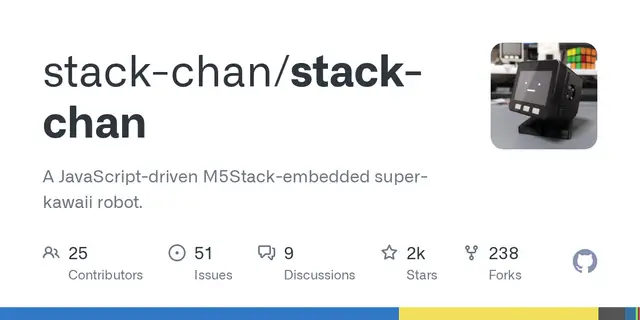
Stack-chan
An open-source, JavaScript-driven, super-kawaii robot built with M5Stack.
- M5Stack Core/CoreS3
- printed shell
Intermediate · Our suggestion1.9K
Sources
- github.com/apirrone/Open_Duck_Mini/blob/b23317a485b3cec7d8417f352478778b3475173c/README.md?plain=1#L11
- github.com/apirrone/Open_Duck_Mini/blob/b23317a485b3cec7d8417f352478778b3475173c/README.md?plain=1#L28-L30
- github.com/apirrone/Open_Duck_Mini/blob/b23317a485b3cec7d8417f352478778b3475173c/README.md?plain=1#L93
- github.com/apirrone/Open_Duck_Mini/blob/b23317a485b3cec7d8417f352478778b3475173c/README.md?plain=1#L61-L69
- github.com/apirrone/Open_Duck_Mini/blob/b23317a485b3cec7d8417f352478778b3475173c/docs/print_guide.md?plain=1#L5
- github.com/apirrone/Open_Duck_Mini/blob/b23317a485b3cec7d8417f352478778b3475173c/README.md?plain=1#L97
- github.com/apirrone/Open_Duck_Mini/blob/b23317a485b3cec7d8417f352478778b3475173c/docs/print_guide.md?plain=1#L3-L5
- github.com/apirrone/Open_Duck_Mini/blob/b23317a485b3cec7d8417f352478778b3475173c/docs/assembly_guide.md?plain=1#L8
- github.com/apirrone/Open_Duck_Mini/blob/b23317a485b3cec7d8417f352478778b3475173c/docs/assembly_guide.md?plain=1#L9
- github.com/apirrone/Open_Duck_Mini/blob/b23317a485b3cec7d8417f352478778b3475173c/docs/assembly_guide.md?plain=1#L10
- github.com/apirrone/Open_Duck_Mini/blob/b23317a485b3cec7d8417f352478778b3475173c/docs/assembly_guide.md?plain=1#L11
- docs.google.com/spreadsheets/d/1gq4iWWHEJVgAA_eemkTEsshXqrYlFxXAPwO515KpCJc#gid=0&range=A11
- docs.google.com/spreadsheets/d/1gq4iWWHEJVgAA_eemkTEsshXqrYlFxXAPwO515KpCJc#gid=0&range=A14
- docs.google.com/spreadsheets/d/1gq4iWWHEJVgAA_eemkTEsshXqrYlFxXAPwO515KpCJc#gid=0&range=A16
- docs.google.com/spreadsheets/d/1gq4iWWHEJVgAA_eemkTEsshXqrYlFxXAPwO515KpCJc#gid=0&range=A26
- docs.google.com/spreadsheets/d/1gq4iWWHEJVgAA_eemkTEsshXqrYlFxXAPwO515KpCJc#gid=0&range=A27
- docs.google.com/spreadsheets/d/1gq4iWWHEJVgAA_eemkTEsshXqrYlFxXAPwO515KpCJc#gid=0&range=A36
- github.com/apirrone/Open_Duck_Mini/blob/b23317a485b3cec7d8417f352478778b3475173c/README.md?plain=1#L56
- github.com/apirrone/Open_Duck_Mini/blob/b23317a485b3cec7d8417f352478778b3475173c/README.md?plain=1#L77-L89
- github.com/apirrone/Open_Duck_Mini/blob/b23317a485b3cec7d8417f352478778b3475173c/README.md?plain=1#L14
- github.com/apirrone/Open_Duck_Mini/blob/b23317a485b3cec7d8417f352478778b3475173c/README.md?plain=1#L38-L40
- github.com/apirrone/Open_Duck_Mini/blob/b23317a485b3cec7d8417f352478778b3475173c/docs/sim2real.md?plain=1#L1-L3